 Lazzy
LazzyWhat's new in Lazzy — October 2026
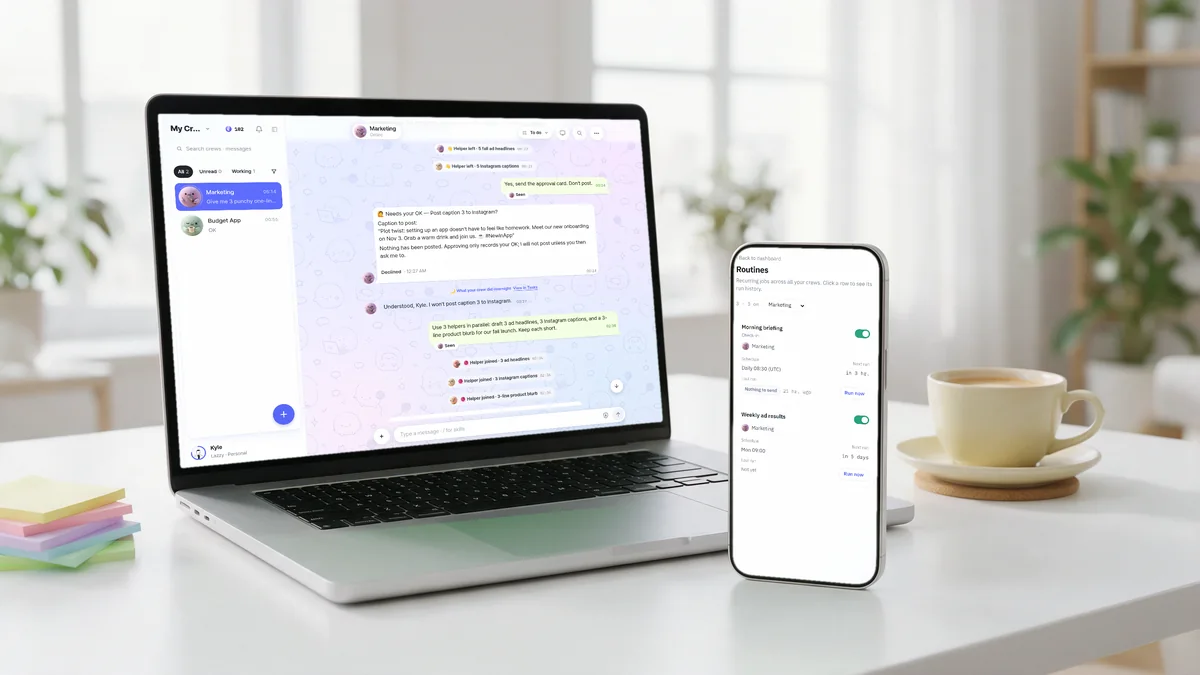
Here's what shipped in Lazzy in the first half of October. Everything below is live today.
Helpers you can watch
When a job is big, your crew splits it up and calls in helpers that work side by side. The progress line in the chat now shows what your crew is doing right now, with its helpers listed underneath — finished helpers fold away so the line stays short.
Approval cards, everywhere at once
Anything that costs money, goes public or is sent to other people still waits for your tap. Now, when you approve on your phone or in another tab, the card in every open chat updates right away. Approval requests live in the chat as cards, with a quick "Approvals" button when one is off-screen.
Routines in one place
All your routines — across every crew — now live on one screen, where you can change the time or switch them off. Setting a schedule got easier too: pick from simple choices like "every weekday morning", and routines run in your own time zone.
Your crew checks in first
New crews come with a short morning briefing. Your crew looks at what's on — plans you mentioned, deadlines, its own promises, work in progress — and only writes when there's something useful to say.
Tap to answer
When your crew asks you a question with a few clear options, you get buttons. Tap one and your answer is sent as a reply to that question.
New connections
You can now connect Google Drive, Google Calendar and OneDrive so your crews can work with your files and schedule. Your crew can also use any website in its own browser, and you sign in yourself when a site asks.
A faster, cleaner chat
- A redesigned chat on desktop and phone, with dark mode.
- Chats open faster, and switching between crews is smoother.
- Swipe a message to reply on your phone.
- Photos you attach show as thumbnails above the message box.
- MP3 files play right in the chat.
- A 🔔 Alerts tab collects notifications from apps your crew built — like a new sign-up or payment.
Also new
- A Vault in settings keeps the logins and details your crews use in one locked place.
- Lazzy is now available in Traditional Chinese.
- See real examples of what crews do at lazzy.chat/showcase.
Your PC. Your AI. Free.
Tell it in plain words. It reports back when it's done.